Every live encoder needs a small set of connection values. Applications use different labels, but the underlying information is consistent. Entering one value in the wrong field is the most common reason a new broadcast will not connect.
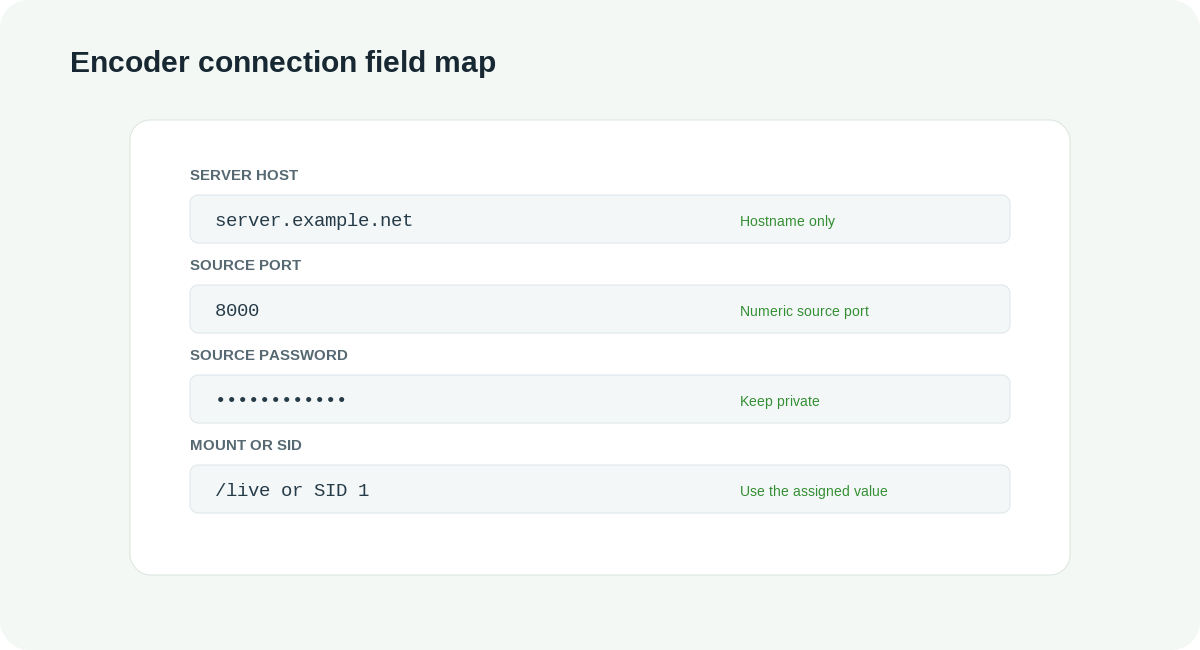
Server host or address
The host identifies the RCAST server receiving your source. It may be a DNS name such as example.rcast.net or an IP address. Enter only the hostname when the application provides separate fields for host and port.
Do not include https://, a player page, a mount path or a trailing slash unless the software explicitly requests a complete URL.
Source port
The source port directs the encoder to the correct service on the server. It is numeric and must match the value displayed in your RCAST service details. A public HTTPS listening URL may use a different external port or no visible port at all; that does not change the encoder destination.
Source password
The source password authorizes software to send audio. It is not normally the same as the password used to sign in to the client area. Copy it exactly and watch for spaces introduced at the beginning or end.
Username
Icecast commonly uses the source username source, although hosted configurations can specify another value. Some SHOUTcast encoders ask for a username even when authentication is primarily password-based; others combine several values into one password field. Follow the RCAST service instructions for the selected encoder protocol.
Icecast mount point
A mount point names a stream on an Icecast server. It usually begins with a forward slash, for example /live or /radio.mp3. The official Icecast documentation recommends avoiding spaces and unusual characters. Listeners connect to a URL containing that mount.
If an assigned mount is /stream, enter exactly that value. Do not replace it with the station name unless the server has been configured to accept the new mount.
SHOUTcast stream ID
SHOUTcast 2 can host multiple logical streams and identifies them with a stream ID, often abbreviated as SID. A value such as 1 belongs in the Stream ID/SID field. It is not the customer service ID shown in a billing system.
Server type or protocol
Select SHOUTcast v1, SHOUTcast v2 or Icecast according to the service and the connection method supported by the encoder. “Auto” modes can work, but an explicit correct choice is easier to troubleshoot.
Codec, bitrate, sample rate and channels
These fields describe the audio sent after authentication. The codec might be MP3 or AAC; bitrate controls compressed data rate; sample rate commonly uses 44.1 kHz or 48 kHz; channels select mono or stereo. The bitrate must not exceed the service allowance.
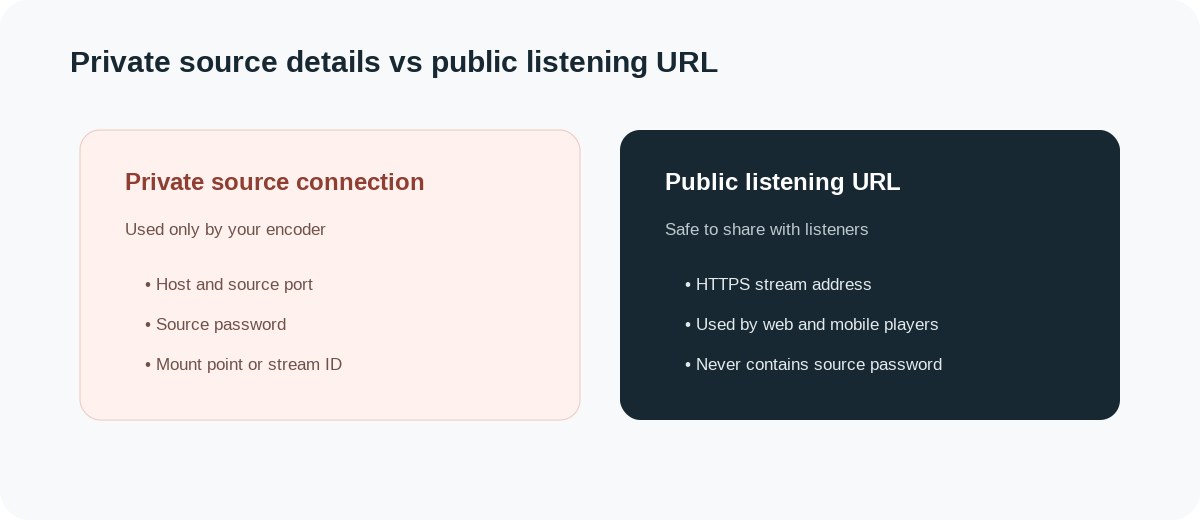
Public listening URL
The listening URL is shared with the audience and used in players or directories. It is not private and contains no source password. RCAST may provide an HTTPS URL that differs from the direct source host and port so the stream works securely on modern websites.
Example field map
| Encoder field | What to enter | Do not enter |
|---|---|---|
| Address / Host | Assigned server hostname | Player URL or client-area URL |
| Port | Assigned source port | HTTPS website port unless assigned |
| Password | Source password | Client login password |
| Mount | Assigned Icecast mount | A full URL |
| SID / Stream ID | Assigned SHOUTcast stream ID | Billing service ID |
Safe troubleshooting order
- Confirm the service is Active.
- Re-copy host and port from the service page.
- Confirm the selected protocol matches the server.
- Re-enter the source password manually.
- Verify mount point or stream ID.
- Stop any other encoder using the same source.
- Read and record the exact error message.
Once these fields are understood, configuring different applications becomes a translation exercise: locate each program's equivalent fields and enter the same verified RCAST values.
Why applications use different labels
Encoder interfaces evolved around different server versions. “Address,” “server,” and “host” usually describe the same destination. “Password,” “source password,” and “encoder password” may refer to the same secret, while a general account-password field may not. Always interpret a label in the context of the selected protocol.
Copying credentials safely
Use the copy controls in the RCAST service page where available. Paste first into the correct field, not into chat or a public note. If authentication fails, clear and re-enter the password; hidden fields can conceal trailing spaces. Password managers are appropriate for source credentials, but name the entry clearly so it is not confused with the client-area login.
Direct ports and secure public delivery
The source may connect to a direct server port while listeners use a clean HTTPS URL. This is normal. HTTPS delivery solves browser mixed-content requirements and provides a stable public address; it does not mean the encoder should replace its assigned source port with 443. Follow the specific SSL/TLS source instructions only when the encoder endpoint itself is designated as secure.
Connection profiles for multiple presenters
Create a documented profile for each supported application, but avoid distributing one permanent password indefinitely. When staff changes or credentials are exposed, rotate the source password and update every authorized encoder. Before a show, presenters should test audio locally and confirm that no other source remains connected.
Information to collect before contacting support
- Service ID and server type, but never the source password.
- Encoder name, version and operating system.
- Exact error message and timestamp with timezone.
- Whether the service appears online in the control panel.
- Whether another encoder can connect using the same assigned details.
- Whether the failure occurs on another network.
Frequently asked questions
Why does the listening link work but the encoder will not connect?
The public link and private source destination serve different roles. A working player does not validate source authentication.
Can I choose my own mount point?
Only when the service configuration allows it. Hosted services often assign the mount; use it exactly as shown.
Is the service ID the same as SHOUTcast SID?
No. A billing/service identifier identifies your account product. SHOUTcast SID identifies a configured stream inside SHOUTcast.
Should I include http:// in the host field?
Usually no when host and port are separate fields. Include a scheme only when the application explicitly requests a complete URL.