SHOUTcast and Icecast perform the same essential job: they accept an encoded source and distribute it to listeners. The best choice depends on compatibility, directory requirements, codec plans and the tools used by your station—not on sound quality alone.
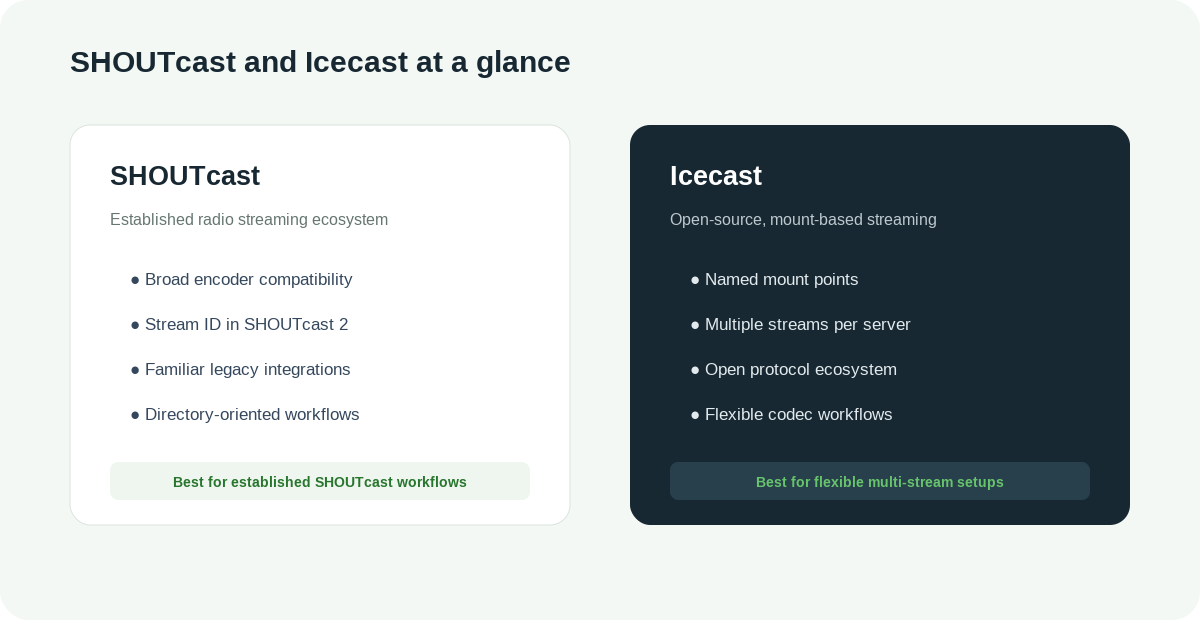
What they have in common
Both are streaming-server technologies rather than studio automation systems. They do not create a programme by themselves. A live encoder or AutoDJ source sends audio to the server, and listeners connect to a public URL.
Sound quality is primarily determined by the source audio, codec, bitrate, processing and encoder. A correctly configured 128 kbps MP3 stream does not become better merely because it is carried by one server family rather than the other.
SHOUTcast
SHOUTcast has a long history in internet radio and is supported by most broadcast encoders. Its ecosystem commonly uses a source password, port and—in SHOUTcast 2 workflows—a stream identifier. It is familiar to broadcasters who depend on SHOUTcast-specific directory listing or legacy hardware and software.
Reasons to choose SHOUTcast
- Your established encoder or workflow explicitly expects SHOUTcast.
- You require compatibility with a SHOUTcast-specific integration.
- Your existing audience and directory presence are already built around it.
- You are migrating an established SHOUTcast station and want minimum operational change.
Icecast
Icecast is an open-source streaming server built around named mount points. Its official documentation describes the source client connecting to a mount point while listeners connect to that same public mount URL. A single server can host multiple mount points for different stations, codecs or bitrates.
Reasons to choose Icecast
- You want explicit mount-point routing for multiple streams.
- You need an open protocol ecosystem and broad source-client support.
- You plan to offer several codecs or quality levels under separate mounts.
- Your application or integration is designed around Icecast metadata and mount URLs.
Key configuration differences
| Area | SHOUTcast | Icecast |
|---|---|---|
| Stream identity | Port and, in v2 configurations, stream ID | Named mount point such as /live |
| Source authentication | Source password; fields vary by protocol and encoder | Source username/password and mount point |
| Multiple streams | Supported through configured streams/IDs | Multiple mount points are a core concept |
| Directory ecosystem | Historically associated with the SHOUTcast directory | Directory listing depends on configuration and external directories |
| Open source | No | Yes |
Codec considerations
Do not select a server type solely because an encoder displays a long codec list. Codec support must align across the encoder, streaming server, player, browser and directory. MP3 remains the conservative compatibility option. AAC can deliver strong quality at lower bitrates but should be tested against every important listener platform.
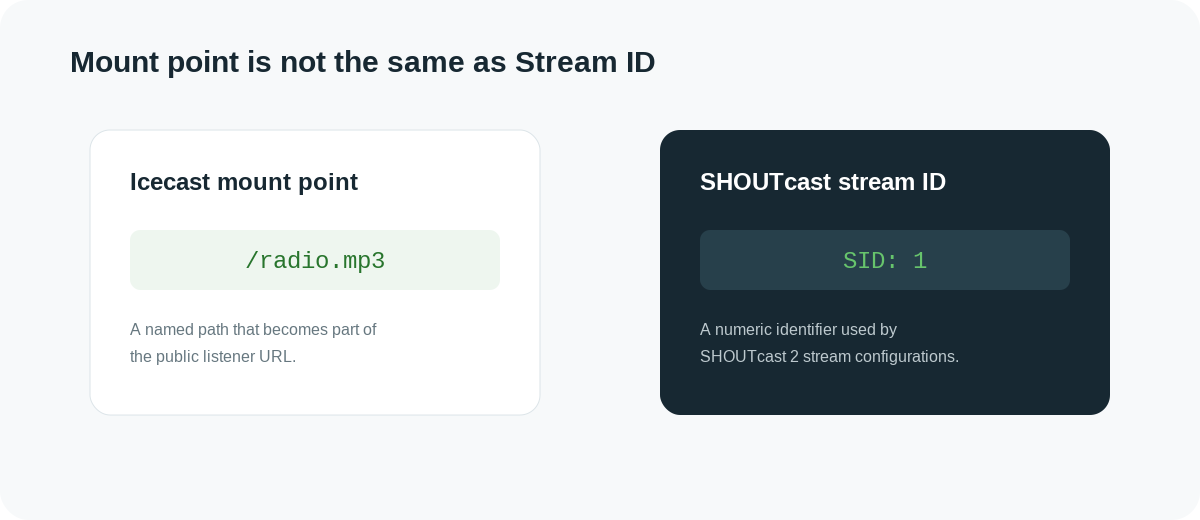
Mount points and stream IDs are not interchangeable
An Icecast mount such as /radio.mp3 is part of the stream URL. A SHOUTcast stream ID is a numeric identity used by SHOUTcast 2 configurations. Copy the value provided by RCAST into the matching field; do not invent one or paste a full listening URL where an encoder asks for a mount.
Our practical recommendation
Use the server type assigned to your RCAST service unless you have a clear migration requirement. For a new station, choose based on encoder compatibility and distribution needs. Icecast is flexible for multi-mount and open-source workflows; SHOUTcast remains useful for established SHOUTcast-oriented stations and integrations.
Compatibility must be evaluated end to end
A server accepting a codec does not guarantee that every listener can play it. Test the complete route: encoder, server, HTTPS delivery, HTML5 player, mobile browser, app, directory and any hardware receiver important to the audience. MP3 is usually the lowest-risk baseline. AAC and Opus can be valuable, but deployment should follow compatibility testing rather than codec specifications alone.
Multiple qualities and fallback
Icecast mount points make it natural to expose separate high- and low-bitrate streams. SHOUTcast can also operate multiple configured streams, but the identifiers and URLs follow its own model. Multiple qualities require separate encoding capacity and clear player choices. A fallback is different: it supplies alternate content when the primary source disappears and should be tested during a controlled maintenance window.
Metadata behaviour
Both ecosystems carry now-playing information, but encoders label their configuration fields differently. SHOUTcast-oriented tools may expose station name, genre, URL and stream ID. Icecast tools may request mount, source username and content type. Incorrect metadata does not always prevent audio, so verify it separately after the stream connects.
Migration checklist
- Inventory every encoder, player, directory, app and monitoring URL.
- Create the new service and test it privately before changing the public player.
- Match codec and bitrate unless the migration intentionally changes them.
- Update source credentials and mount/SID fields in each encoder.
- Update HTTPS listening URLs on websites and apps.
- Submit changed URLs to directories and partners.
- Run both paths during a controlled overlap where licensing and configuration permit.
- Retire old credentials after confirming audience traffic on the new service.
Frequently asked questions
Which one sounds better?
Neither server inherently improves encoded audio. Quality comes mainly from the source, processing, codec and bitrate.
Can an Icecast encoder connect to SHOUTcast?
Some applications support both protocols, but the selected protocol and authentication fields must match the destination service.
Should a new station automatically choose Icecast?
Not automatically. Icecast is flexible and open, while SHOUTcast may fit existing integrations. Choose based on the complete workflow.
Can I change later?
Yes, but treat it as a migration affecting encoder settings, public URLs, players, directories and monitoring.