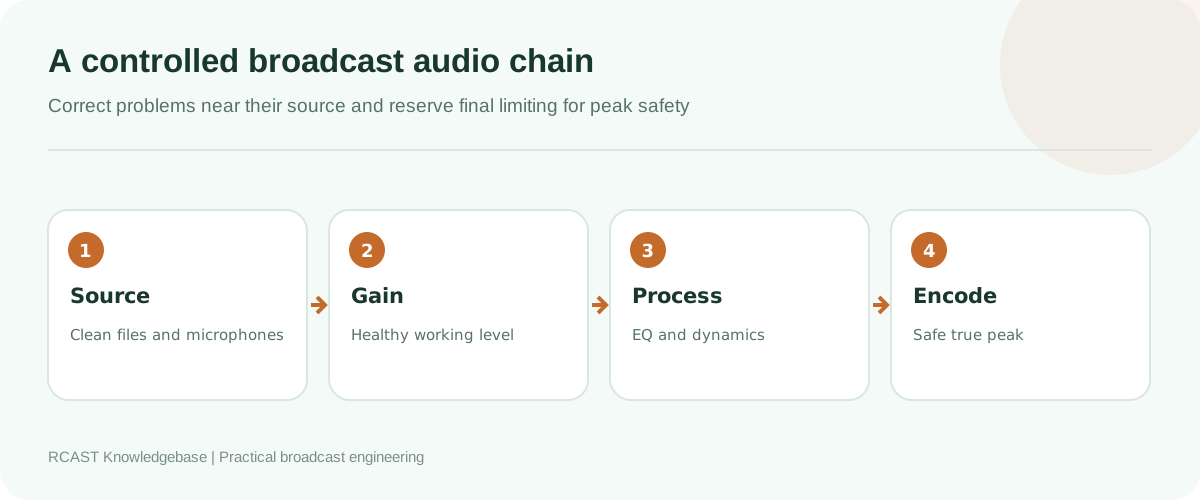
Consistent internet radio sound comes from controlled source levels, sensible dynamics and enough peak headroom for encoding. It does not come from forcing every track to maximum amplitude. This guide explains loudness, true peak, gain structure and broadcast processing as one practical workflow, with settings that can be adapted to music, speech and mixed programming.
Peak level and loudness are different
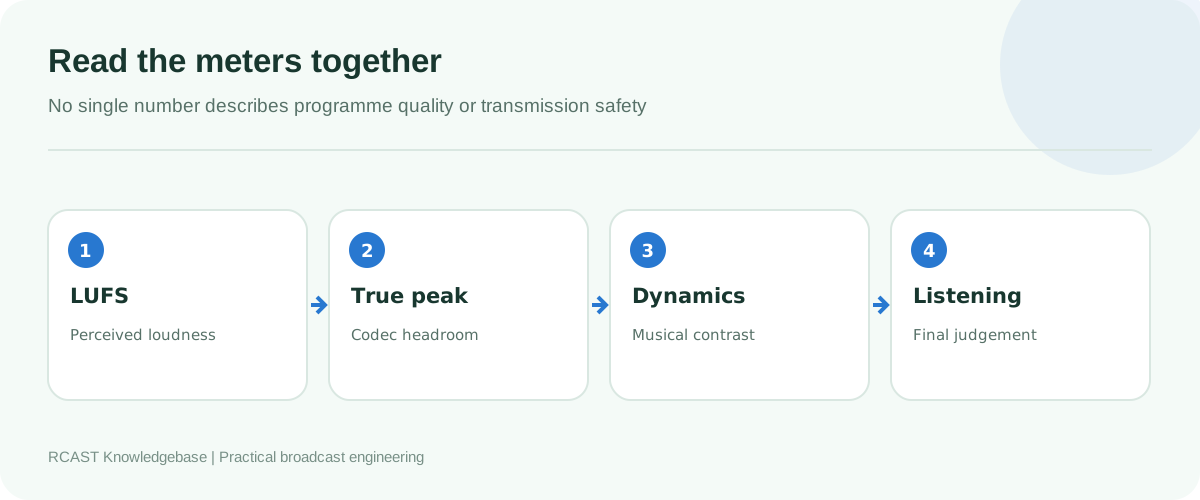
A peak meter shows the highest instantaneous level relative to digital full scale. Loudness measurement estimates how strong the programme sounds over time. Two songs can reach the same peak while one sounds much louder because it is denser and has less contrast. A station that watches only peaks may alternate between quiet speech and aggressively mastered music even though neither clips.
LUFS is the common unit for programme loudness. Integrated loudness describes a complete item or measured period. Short term loudness helps an operator see recent programme behaviour. Momentary loudness reacts more quickly. These readings are useful for comparison, but they are not a reason to chase one exact number every second.
Understand true peak
Sample peaks describe stored digital samples. Reconstruction and lossy encoding can create peaks between those samples. A true peak meter estimates those inter-sample peaks. Material mastered extremely close to 0 dBFS can distort after MP3 or AAC encoding even when the original file never shows a clipped sample.
Leave real headroom before the encoder. A conservative final ceiling around minus 1 dBTP is a useful starting point, and additional margin may help aggressive material or low bitrate encoding. Test the encoded output rather than assuming a limiter ceiling guarantees a clean result in every codec.
Build correct gain structure
Gain structure means keeping a healthy signal at every stage without overload or excessive noise. Begin at the source. Set a microphone preamp while the presenter speaks at realistic programme intensity. Leave room for laughter and emphasis. A preamp that clips cannot be repaired by reducing a later software fader.
Send line outputs into line inputs. Disable unnecessary microphone boost, automatic gain control and consumer sound enhancement. Keep the physical mixer, audio interface, operating system and encoder from applying several independent level corrections. Document a normal position for each control so another presenter can restore the studio quickly.
For prerecorded content, analyse the library and listen to outliers. Do not increase a noisy or distorted file merely to match a target. Replace poor sources where possible. Keep a lossless archive and generate delivery copies from it instead of repeatedly transcoding lossy files.
Choose a station loudness policy
A policy should state a working loudness range, true peak ceiling and how different content is handled. It should also identify where correction occurs. Music may be prepared during library ingestion, while live microphones require real-time processing. Syndicated programmes may need measurement and controlled adjustment before scheduling.
| Content | Main concern | Practical treatment |
|---|---|---|
| Music library | Large mastering differences | Analyse loudness, apply controlled playback gain, preserve the original file |
| Live speech | Changing distance and delivery | Good mic technique, moderate compression and peak protection |
| Advertisements | Excessive density | Measure, review by ear and keep within station policy |
| Remote guests | Unstable level and noise | Input trim, high pass filtering and gentle channel processing |
| Station imaging | Perceived jump between songs | Match in context, not by peak value alone |
There is no universal internet radio target that suits every format, codec and distribution platform. Published broadcast recommendations such as EBU R 128 provide useful measurement concepts, but a web station should select and document a value appropriate to its content. Consistency and adequate headroom are more important than claiming compliance without measuring the complete chain.
Use processing in the correct order
A high pass filter can remove rumble from speech. Corrective equalisation may reduce persistent muddiness or harshness. Compression controls a source's dynamic range. A final limiter catches brief peaks. Each tool needs a specific job. Stacking several presets often produces dull, pumping audio and makes faults difficult to trace.
Apply compression gently first. Set the threshold so normal programme material causes modest gain reduction, use an attack that preserves useful articulation, and choose a release that recovers without audible breathing. Speech and music need different treatment. One extreme preset across the whole station rarely serves both well.
Multiband processing can control difficult spectral regions, but it also makes mistakes less obvious on a meter and more tiring to hear. Use it only when a measured problem justifies the complexity. Compare processed and bypassed audio at matched perceived loudness because the louder version often seems better during a quick comparison.
Avoid double processing
Automation software, a mixer, an encoder and a streaming platform may each offer automatic gain, compression or limiting. Enabling all of them can create a chain that constantly fights itself. Identify one main programme processor and use other stages only for clearly defined protection or source control.
Check consumer audio drivers for enhancements and loudness equalisation. Disable processing that is not part of the design. When a physical processor feeds a software encoder, record its output and inspect it before adding another plug-in.
Measure the encoded return
The signal before encoding is not the final listener experience. Monitor the public stream on a separate device or return path. Listen for harsh cymbals, smeared transients, pumping, stereo instability and speech sibilance. Compare several programme types and quiet transitions. Low bitrate artifacts often become obvious on dense high-frequency material.
Use wired headphones and ordinary speakers as well as studio monitors. A technically impressive sound that makes speech unclear on a phone is not successful. Avoid monitoring the delayed public return through open studio speakers because it can feed back into the microphone.
Prepare music without damaging the masters
- Keep an untouched archive copy.
- Correct inaccurate tags and remove defective files.
- Analyse integrated loudness and true peak with one consistent tool.
- Store adjustment values in the automation database or metadata where the system supports non-destructive gain.
- Spot-check quiet, loud and highly compressed titles.
- Listen to actual transitions produced by AutoDJ.
Do not normalise every waveform to 0 dBFS. Peak normalisation does not make perceived loudness consistent. Do not convert a low quality MP3 to a larger MP3 and call it remastered. The extra file size contains no recovered detail.
Process microphones professionally
Position the microphone consistently and use headphones. Good technique reduces how much correction the processor must perform. Set the preamp during realistic speech, then apply filtering, equalisation and compression only as needed. A noise gate can hide room noise between phrases but may cut quiet word endings. An expander with gentle settings is often less distracting.
Presenters should not compensate for a quiet headphone mix by shouting into the microphone. Create a separate monitor level where possible. Keep the programme meter visible, but train presenters to use distance and delivery rather than staring at numbers throughout the show.
Troubleshoot common symptoms
The station is loud but sounds brittle
Bypass stages one at a time. Look for excessive high-frequency EQ, repeated lossy encoding, fast limiting and clipping before the encoder. Reduce processing and compare at matched loudness.
Speech disappears after music
Measure both sources over representative periods. Correct microphone technique and preamp gain first, then use moderate channel compression or controlled gain. Do not solve it only by crushing the final mix.
The level pumps with bass
Low frequencies may be driving a wideband compressor. Correct unnecessary bass at the source, adjust detector behaviour or use carefully configured multiband control. Longer release times can also reveal sustained gain changes.
The local feed is clean but the stream distorts
Measure true peak before encoding and lower the final ceiling. Confirm the codec and bitrate. Listen directly to the public stream and check that no additional processing is enabled downstream.
Tracks vary despite normalisation
Verify that the automation actually applies stored gain values. Inspect live versions, remasters and tracks with long quiet introductions. Loudness measurement helps consistency, but editorial exceptions still require listening.
Create a repeatable quality check
Once a month, record a representative hour from the public output. Measure integrated loudness and true peak, then listen to transitions, speech, imaging and advertisements. Compare the result with the station policy and previous checks. Investigate trends rather than changing settings after one unusual song.
After replacing an interface, changing sample rate, updating a processor or selecting a new codec, repeat the test. Save dated settings and screenshots with credentials hidden. Make one controlled change at a time so improvements and regressions can be identified.
Frequently asked questions
Should every song have identical LUFS?
No. Exact equality can remove intentional musical contrast. Use a sensible operating range and review exceptions by ear.
Can a limiter prevent all clipping?
It protects the stage where it is inserted. It cannot repair earlier analog or digital overload, and encoding may create new inter-sample peaks.
Does a higher bitrate fix distorted audio?
No. A higher bitrate may reduce new codec artifacts, but distortion already present in the source or processing remains.
A professional station sound is the result of clean sources, correct gain, restrained processing, measured headroom and regular listening to the encoded return. Establish that chain before pursuing a louder signature.