A professional AutoDJ schedule is not a folder placed on shuffle. It is a set of programming rules that decides what may play, when it may play, how often it may return and what should happen when a live presenter connects. This guide presents a practical method for building rotations and clocks that sound intentional while remaining easy to maintain.
Start with a written station promise
Before uploading music, write one sentence that describes what a listener should hear. Include format, mood, era and any local or specialist commitment. A station promising current dance music with two classic tracks per hour needs different categories from a broad adult hits station. If the promise is vague, the library will grow without direction and no scheduling rule will repair it.
Define the normal broadcast hour on paper. Mark fixed programmes, news, advertising commitments, station identification and live shows. Then identify which hours AutoDJ must fill. This separates editorial decisions from software configuration and prevents the common habit of adding random rules until the result sounds acceptable.
Prepare the library before rotation design
Use consistent artist and title tags. Remove leading track numbers, website names and promotional text. Standardise featured artists so separation rules recognise them. Decide whether collaborations belong under the primary artist or a combined name, then apply the decision consistently.
Check every file for audible starts, clipped endings, silence and major level differences. Lossy files obtained from unknown sources may already contain compression damage; converting them to a higher bitrate does not restore quality. Keep a lossless archive when possible and create delivery files from that archive. Store cover art at a sensible size and use one reliable image per track.
Create categories by programming role
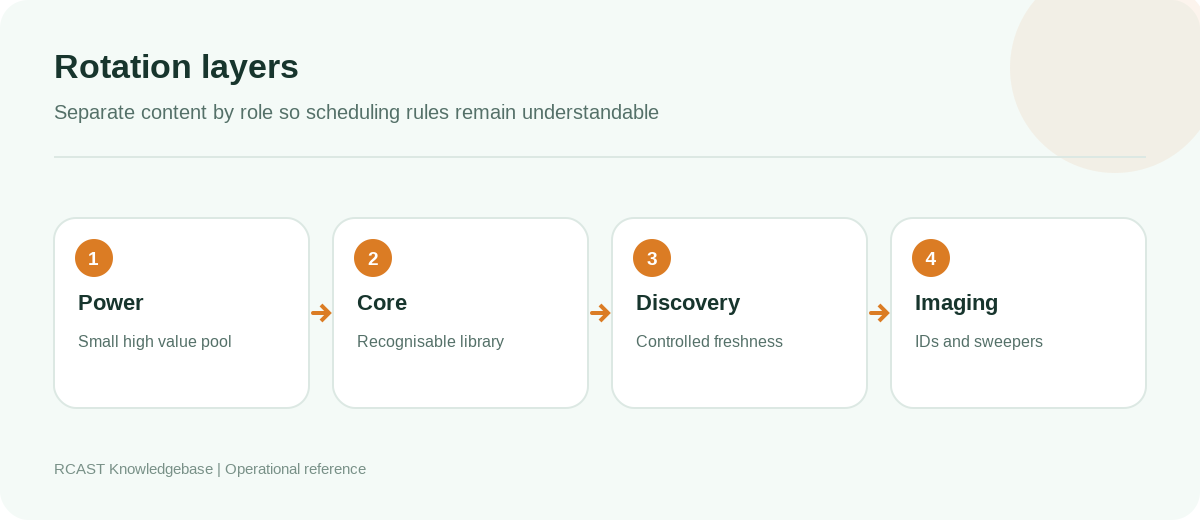
A category should answer a scheduling question. Categories such as Power, Core, Recurrent and Discovery describe how material is used. Categories named Folder 1 or New Uploads describe storage and become difficult to programme. Keep music, imaging, commercials and spoken features separate because they need different repeat and transition rules.
| Category | Purpose | Typical treatment |
|---|---|---|
| Power | Highest priority current or signature tracks | Small pool, controlled recurrence, strict artist separation |
| Core | Recognisable centre of the format | Large pool, moderate recurrence |
| Recurrent | Recent titles no longer in Power | Lower frequency, broad daypart access |
| Discovery | New or unfamiliar music | Limited slots and careful dayparting |
| Imaging | Station IDs, sweepers and promos | Short items placed at structural points |
| Features | News, weather, interviews or specialist segments | Scheduled at exact or protected times |
Build a clock rather than one enormous playlist
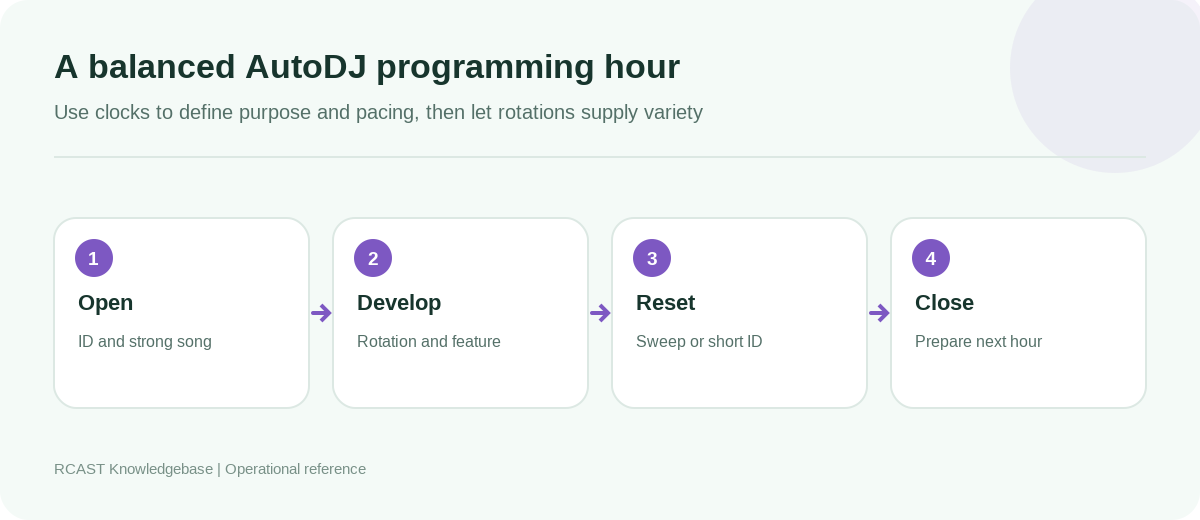
A clock is a sequence of category positions that repeats as a framework. It may begin with an ID, then select from Power, Core, Recurrent and Core, followed by another imaging position. The clock controls balance while the rotation controls which eligible item fills each position.
Create a simple clock first. Listen for several hours before adding more rules. Complex clocks can hide a weak library because they appear sophisticated in the scheduler while producing awkward audio. Add specialist blocks only after the main format hour is stable.
Calculate rotation pressure
Rotation pressure depends on the number of eligible tracks and the number of slots assigned to the category. If a Power category has 12 tracks and receives four positions per hour, its average title turnover is roughly three hours before separation rules. That may be appropriate for a hit format and far too repetitive for a relaxed catalogue station.
Count eligible tracks after daypart restrictions. A pool of 100 tracks is not really 100 at breakfast if 60 are restricted to evenings. Review category size whenever tracks are added, removed or moved. Do not set a repeat interval that the available pool cannot satisfy. Some schedulers will break the rule, leave a gap or repeatedly choose the few legal tracks.
Use title and artist separation together
Title separation prevents the same recording from returning too soon. Artist separation prevents different songs by the same artist from clustering. Both matter. A four-hour title rule does not stop three songs by the same artist appearing inside one hour.
Set realistic values based on the smallest active category. Treat aliases and collaborations deliberately. If the library lists one track under Artist A and another under Artist A featuring Artist B, the scheduler may consider them different unless an artist group or consistent tag links them. Audit the generated log instead of assuming the rule understands musical relationships.
Manage tempo, mood and explicit content
Optional attributes become useful when they support a clear policy. Energy codes can stop several slow tracks from clustering. Mood can protect a breakfast programme from very dark material. Explicit flags can enforce clean daytime output. Keep the number of values small enough that staff apply them consistently.
Avoid attempting to describe every musical property. Excessive coding creates maintenance work and reduces the number of tracks eligible for each position. Use only attributes that drive an actual scheduling rule or reporting need.
Plan imaging without exhausting listeners
Station identification should be recognisable and concise. Rotate several IDs so branding remains consistent without repeating the same voice line. Use sweepers where they improve a transition or identify the station, not between every pair of songs. Promos need start and end dates so expired announcements do not remain in rotation.
Keep imaging loudness compatible with music. A highly compressed sweeper can feel much louder even when its peak meter is similar. Listen to complete transitions through the public stream because crossfades and encoding can change the perceived result.
Schedule exact events carefully
News, legal identification and booked advertisements may require precise placement. Decide whether the event interrupts the current track, waits for it to finish or starts within a permitted window. Hard interruption provides timing precision but can sound poor. A flexible window sounds smoother but may not meet a strict commitment.
Allow enough duration in the clock for fixed content. Do not fill exactly sixty minutes on paper because track lengths and transition rules vary. Use hour markers and scheduler behaviour intentionally. Review what happens when content is missing, late or longer than expected.
Design live takeover and return
Document how a presenter connects, how AutoDJ yields and how it resumes. Test an unplanned disconnect. A good fallback should return useful audio without leaving listeners in silence, but it should not create two competing sources. Presenters should know whether they must stop an AutoDJ mount, connect to a priority source or use credentials tied to an authorised DJ account.
Quality-control the generated output
- Generate or review at least 24 hours of logs before launch.
- Mark repeated artists, repeated titles and clusters of similar tempo.
- Check every fixed event and its surrounding transitions.
- Listen during different dayparts, including the least supervised overnight hours.
- Confirm metadata and artwork for music, imaging and spoken programmes.
- Verify that expired promos and advertisements leave rotation automatically.
Common mistakes
One category contains the whole library
The result may be varied but has no format balance. Split tracks by editorial role, not merely genre, then assign deliberate positions.
Rules are stricter than the library permits
When no legal track exists, the scheduler must compromise. Expand the pool, reduce category demand or relax the least important rule. Inspect logs to learn which rule breaks most often.
New uploads go live without review
A malformed tag, silence or explicit lyric can reach air immediately. Use a staging category and a checklist before moving an item into an active rotation.
The station sounds identical every day
Use multiple compatible clocks, controlled features and daypart changes. Do not solve monotony by disabling separation. Structure should vary while the station promise remains recognisable.
A monthly maintenance routine
Review category counts, most-played titles, skipped items, missing files and metadata failures. Remove expired imaging. Move ageing current tracks into the proper recurrent pool. Sample overnight output. Confirm that backup audio and live takeover still work. Record each material change so an unexpected programming result can be traced to a specific edit.
Frequently asked questions
How many songs does an AutoDJ need?
There is no universal number. The answer depends on format, category demand and intended repeat rate. Calculate each category from its slots per hour and desired turnover instead of using only the total library size.
Should playlists be random?
Pure randomness creates accidental clusters. Controlled rotation provides variety while respecting artist, title, content and daypart rules.
Can AutoDJ replace a programme director?
It can execute rules consistently, but people must define the format, review logs, maintain content and judge whether the station sounds right.
A strong AutoDJ operation is simple enough to explain, measured often enough to improve, and tested through the same public stream listeners use. Build the smallest reliable structure first, then add sophistication only when it solves an audible programming problem.